All 18 modules
Firm

Calendar

Scheduling that already knows who your clients are and writes the appointment to their record — carrying its own video room, so a client call does not need a second product, a second subscription and a link somebody has to remember to paste.

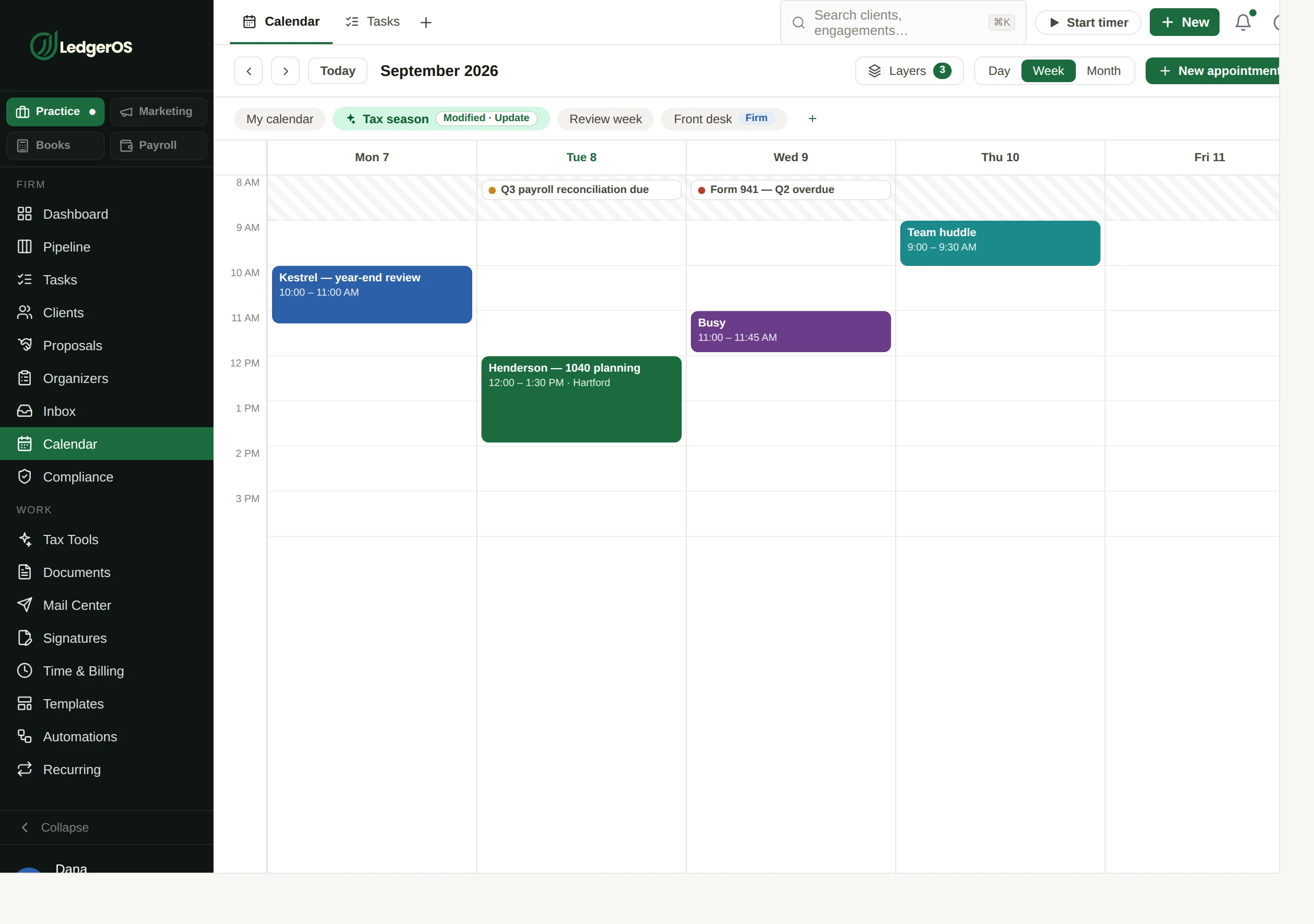
The LedgerOS calendar, showing firm appointments alongside connected external calendars.

What it does

  • Availability per person, by weekday, with overrides for the days that differ
  • Your own calendar blocks out the slots, and appointments push back to it
  • A real calendar invite with an RSVP link that needs no login
  • Email reminders on your firm’s schedule, sent once even if something retries
  • A video room on the appointment, with the link in the invite and every reminder

How it works

A meeting room, without a meeting subscription

Set the appointment to video and it comes with its own room. The link is in the invite and in every reminder, so nobody is hunting through email at two minutes past. Rooms open from a client, a task or a team channel too — a quick call about a return starts from the return.

  • A join link on the appointment, the invite and the reminders
  • Nothing for the client to install and no account for them to create
  • A visible indicator whenever a call is being recorded
  • Rooms open from a client, a task or a team channel, not only from the calendar

Nobody gets booked at 7am because of a laptop clock

Working hours mean hours in your firm’s time zone and are judged against it, so a staffer logging in from somewhere else is not offered slots at dawn. It is also why the invite email and the screen can never disagree about when the meeting is.

  • Weekly availability per person, with per-date overrides for the days that differ
  • Every time rendered in the firm’s zone, with the zone named
The LedgerOS calendar, showing firm appointments alongside connected external calendars.

It will not offer a slot you are already in

Connect the calendar you actually live in and everything on it becomes busy time here, so an offered slot is a real one. What you book here goes back out to it, matched on the event, so a retry updates rather than double-booking you.

They get a real invite, and a reminder you did not send

A proper calendar invite with an RSVP link that needs no login, going to the client’s actual contacts rather than whatever address someone typed. Then reminders go out on your schedule, claimed before sending so a retry can never send the same one twice.

  • A standards-compliant invite, so it lands correctly in whatever the client uses
  • RSVP without a login, and the answer comes back to the record
  • Email reminders at the offsets your firm sets, overridable per appointment
  • Reminders are claimed before sending, so a retry cannot send the same one twice

Questions

Do clients need a login to accept an invite?
No. The RSVP link works without one, and so does the video room.
Do we need Zoom as well?
Not for a client meeting. Set the appointment to video and it carries its own room, with the link on the invite and the reminders.
Can clients book their own slot from a link?
Not today. Availability, invites, RSVP and reminders all work; a public booking page a client can self-serve from is not part of the calendar yet.

Next: ComplianceEvery filing you owe, on one board — so March is not a memory test.

Read on →

Ready to retire the stack?

One plan for the whole practice — $129 per seat, every Practice module included. Start your free trial today; migration support from your current tools comes standard.

14-day free trial · No credit card required · Cancel anytime